AI automation
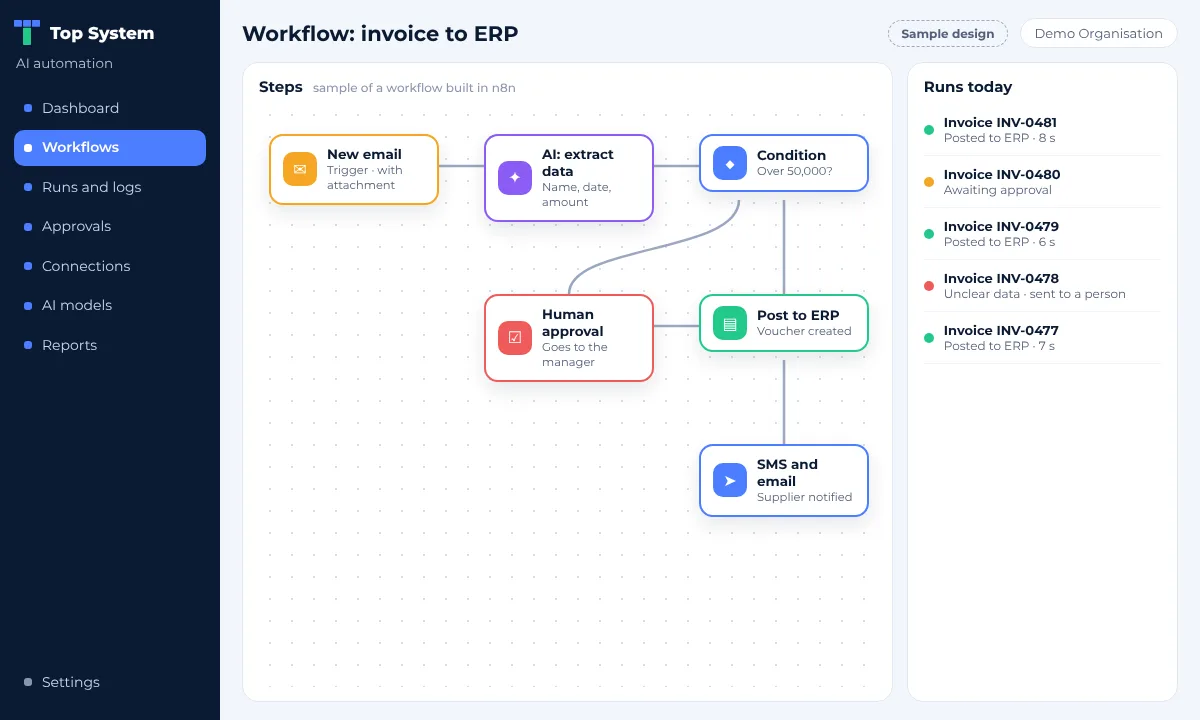
AI automation means handing AI the work people repeat the same way. Top System studies your daily work, finds what AI can do and builds that setup.
Problems it solves
The same kind of email is answered again and again
Reports take several days every month
How the automation runs
Pick one and watch how it works in practice. Leave it alone and it plays through by itself.
automation.yourcompany.comSample demo
T
TriggerNew order on the website✓ Done
ERPCreate the sales entry✓ Done
AICheck address and items✓ Done
PDFMake the invoice✓ Done
WhatsAppSend it to the customer✓ Done
StepResultTime
ERP entrySale #S-33910.4 s
AI checkAddress is fine1.2 s
Invoice PDFINV-2048.pdf0.8 s
WhatsApp messageDelivered0.6 s
This run
- Started
- Today 10:42
- Total time
- 3.0 s
- Runs today
- 38
Built in n8n. It can run on your own server too.
One event sets off the next steps by themselves: entry, invoice, message.
How it works: Most steps are plain connections: take data from one system and put it in another. Only the check step uses AI, which reads the address and items and compares them.
The work we automate
Each can be taken separately. Most clients start with one task and add more step by step.
Data entry from documents
Details from invoices, forms and receipts are no longer typed by hand.
- Read from a scan or PDF
- Placed in your ERP or Excel
- A person checks unclear fields
- The original file stays attached
Email and messages
Incoming email is sorted and a draft reply is ready.
- Tagged by type
- Sent to the right team
- Draft replies
- Follow-up reminders
Reports and summaries
A report builds itself at a set time and reaches the right people.
- Daily, weekly or monthly
- Sent by email or WhatsApp
- Summaries of long documents
- Google Sheets kept up to date
Approval steps
Leave, expense and refund requests go to the right person.
- Routed by your rules
- AI shows its proposal and reason
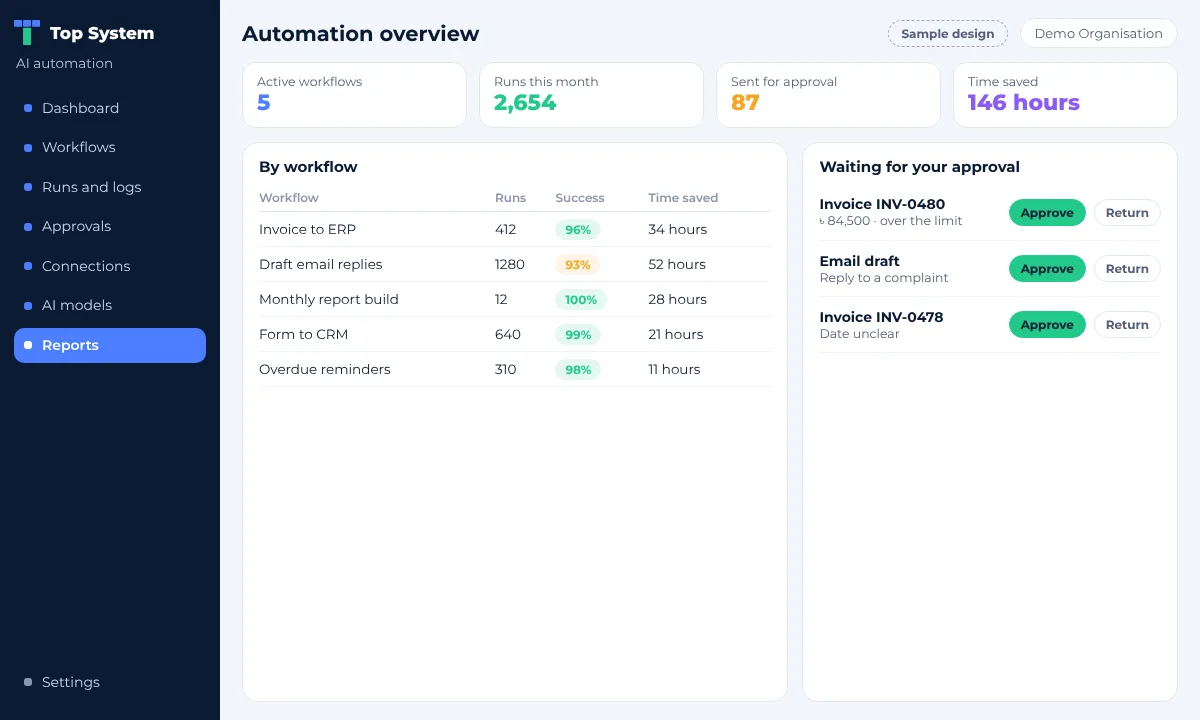
- Approve in one click
- Every decision recorded
Data moving between systems
What is in one system is not typed again into another.
- Website to ERP
- ERP to the ledger
- Forms to the customer list
- APIs and webhooks
Alerts and follow-ups
When something important happens, the right person knows at once.
- A message when stock is low
- Reminders for money owed
- Notice before something expires
- A nudge when work is stuck
Which work suits automation
What runs well
Work that repeats by the same rules, has its data in digital form and shows mistakes quickly. Data entry, reports, reminders and email sorting are typical.
Where a person stays in charge
Decisions such as payments, contracts, hiring or sensitive conversations with customers. Here the AI gathers the facts and proposes, and your staff make the final call.
How AI and people work together
- 1
AI does the routine
Reading, sorting, entering data and sending messages happen by themselves.
- 2
It stops at risky steps
At the steps you choose, the workflow waits for approval.
- 3
Everything is recorded
Which run happened when, and who approved it, is all on record.
The tools we build with
Workflows are built in n8n. It can run on your own server, and later your team can change the steps themselves.
- n8n
- LLM API
- Python
- OCR
- Webhooks
Systems it can connect to
- ERP
- POS
- Website
- Google Sheets
- Excel
- SMS gateway
- Payment gateway
How it helps in each industry
NGOs and microfinance
Member form entry, instalment reminders and donor reports.
Retail and wholesale shops
Low stock alerts and a daily sales report.
E-commerce and online business
Order to invoice, courier entry and a message to the customer.
Hospitals and clinics
Appointment reminders and a notice when a report is ready.
Schools, colleges and coaching
Fee reminders, attendance messages and result reports.
Offices and service firms
Leave and expense approvals, and monthly reports.
What you get
- An assessment of what can be automated
- Workflows built in n8n, which can also run on your own server
- Data extraction from documents
- Workflows for emails, reports and summaries
- Human approval at the steps that matter
- Connection to your software, with monitoring
Technology we use
- LLM API
- Python
- n8n
- OCR
- Webhooks
How we work
- 1
Understand
We listen to how you work and write down what you need.
- 2
Design
We show screens and a plan, and agree them with you.
- 3
Build
We build in stages and show you each one.
- 4
Launch and support
We go live, train your team and stay with you.
Common questions
What is n8n and why do you use it?
n8n is a workflow automation tool. It links email, forms, spreadsheets, your ERP and AI models step by step into one automated process. It can be installed on your own server, so your data stays under your control, and steps are easy to add or change later.
Does AI make mistakes?
It can. So we keep human approval at important steps and log what the AI does.
Will our data be safe?
We agree with you at the start which data may go to an AI service and which may not, and build accordingly.
What happens if the AI gets something wrong?
Steps with a higher risk of error keep a person’s approval. Every run is recorded, so you can see what happened and correct it.
Which task is best to start with?
The one that happens most often and has clear rules. Once it is running, the next is added based on the results.
Let us talk about your project
For a demo or advice, reach us any way you like.